

Snapchat Plus Subscription (Snapchat+): Features, Perks & How to Activate
If Snapchat is part of your daily routine, you’ve probably wondered whether Snapchat Plus is actually worth it—or just another subscription.
The truth is: Snapchat+ (Snapchat Plus Subscription) isn’t about one single “wow” feature. It’s about making Snapchat feel more personal, giving you extra tools, and (in some cases) getting early access to features before they roll out widely.
This guide breaks down what Snapchat Plus is, what you can realistically expect (without overpromising), who it’s best for, and how to activate it smoothly—especially if you want a quick, straightforward purchase experience.

Source: Nu8th Store (cdn.salla.sa)
What is Snapchat+ (Snapchat Plus)?
Snapchat Plus is Snapchat’s premium subscription tier. It typically includes a mix of:
- Exclusive perks (often personalization-focused)
- Experimental or early-access features
- Subscriber-only options that may change over time
Because Snapchat updates frequently, Snapchat+ features can vary by region, device, and rollout schedule. So the smartest way to think about Snapchat Plus Subscription is: a living bundle of perks that evolves.

Source: Snap Inc. (images.ctfassets.net)
What do you get with a Snapchat Plus Subscription?
Depending on what’s available in your region, you may see different subscription options inside Snapchat. Some plans can include broader bundles and add-ons, while others focus on core Snapchat+ perks.
The most popular reasons people subscribe
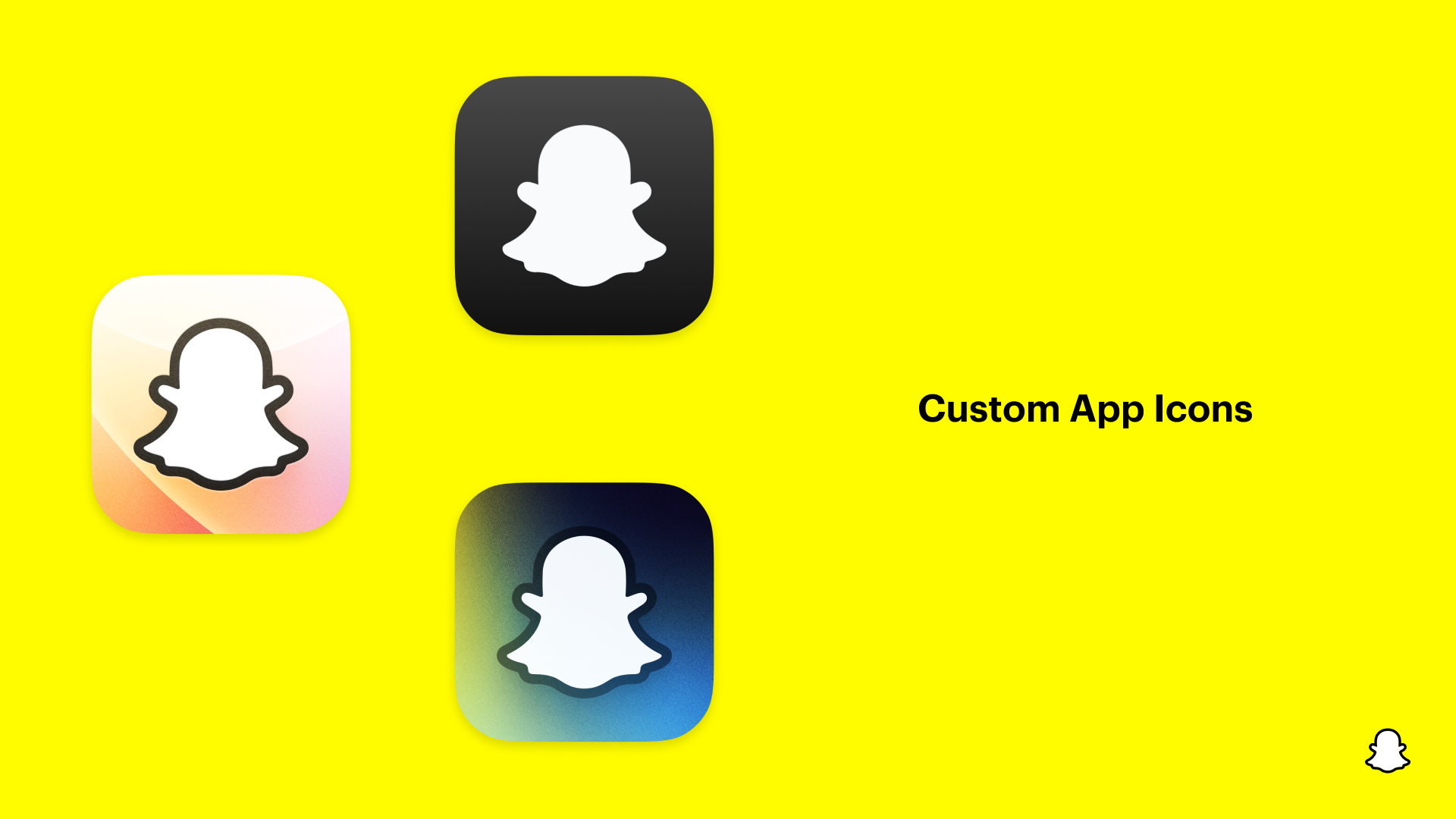
- More personalization: extra ways to customize how Snapchat looks and feels (like app icon choices and other appearance tweaks, where available).
- Subscriber perks inside the app: features that make your experience feel “upgraded” (badges/priority-style enhancements may exist, depending on the current Snapchat+ lineup).
- Early access mindset: Snapchat Plus subscribers often see certain features earlier than standard users.
- Plan upgrades (region-dependent): in some markets, Snapchat may offer additional plans that include more benefits.
Pro tip: the most accurate list is always the one you see in your Snapchat profile under the Snapchat+ card.

Source: Snap Inc. (images.ctfassets.net)
Who is Snapchat Plus best for?
A Snapchat Plus Subscription makes the most sense if you:
- Use Snapchat daily (or for long sessions)
- Love customizing your apps and profiles
- Want new features sooner when Snapchat rolls them out
- Prefer having extra tools that enhance your interactions (where those tools are available)
It may be less essential if you use Snapchat casually and don’t care much about customization.
Key benefits (quick scan)
- More ways to personalize Snapchat
- Subscriber-only perks that can refresh with updates
- A “premium” feel for heavy Snapchat users
- Often a smoother experience for people who live in the app
How to subscribe and activate Snapchat+
There are two common paths: subscribing inside the app, or purchasing through a trusted digital store and then managing your subscription properly.
Option 1: Subscribe inside Snapchat (typical method)
- Open Snapchat and go to your Profile
- Look for the Snapchat+ banner/card near the top
- If you don’t see it, you may need to dismiss other profile banners first
- Choose an available plan and complete payment
- Restart Snapchat if needed so perks appear
Option 2: Buy an official Snapchat+ subscription from a digital store
If you prefer a quick checkout flow, local-friendly payment options, and store support, you can view the product here:
Snapchat Plus Subscription on Nu8th
Note: feature availability is still controlled by Snapchat and can vary by region and updates—even with an official subscription.
[Internal Link: How to activate digital subscriptions]
[Internal Link: Payment methods & checkout help]
[Internal Link: Refund/Replacement policy for subscriptions]
[External Reference: Official Snapchat Support page]
Screenshot: Custom App Icons example
Source: Snap Inc. (images.ctfassets.net)
Screenshot: Priority Story Replies UI example

Source: Snap Inc. (images.ctfassets.net)
Before you buy: smart checks (so you don’t get disappointed)
- Check what’s available in your region: some plans/perks roll out gradually.
- Update Snapchat: many Snapchat+ perks depend on the latest app version.
- Avoid overlapping subscriptions: if you previously subscribed through another provider, confirm renewal/cancellation settings to prevent duplicate billing.
- Don’t subscribe for one single feature: the best value comes from liking the overall bundle.
FAQs (Snapchat Plus Subscription)
1) Is Snapchat+ an official subscription?
Yes—Snapchat+ is Snapchat’s official premium subscription. How you manage it depends on where you subscribed (in-app, app store, web, etc.).
2) Will I get the exact same Snapchat+ features as everyone else?
Not always. Availability can differ by region, device, account type, and Snapchat updates.
3) Where do I find Snapchat+ inside the app?
Go to your Profile and look for the Snapchat+ card/banner near the top. If it’s missing, try dismissing other banners first.
4) Can I cancel Snapchat Plus later?
Typically yes, via the same channel you used to subscribe (App Store/Google Play/in-app/web). Policies and steps can vary by country and provider.
5) Is Snapchat Plus worth it for creators?
Often, yes—especially if you want more customization and access to newer perks sooner. But it’s still best to check the feature list shown in your account.
6) Are there multiple Snapchat+ plans (like Platinum or other bundles)?
In some regions, Snapchat offers additional plan tiers or bundles. These may roll out slowly and may not be available everywhere.
7) What’s the best way to confirm what I’ll get?
Open the Snapchat+ card in your Profile and review the perks shown for your account before you pay.
Final thoughts: should you upgrade to Snapchat+?
If Snapchat is one of your most-used apps and you care about personalization, premium perks, and getting new features early, Snapchat Plus Subscription is usually a solid upgrade.
If you want a quick, store-based purchase option, you can check availability here: