

Trusted Digital Game Subscriptions: A Practical Guide to PS Plus & Game Pass
When you search for a trusted way to buy digital game subscriptions, you’re really looking for peace of mind: the right plan for your platform, clear activation, and reliable support if anything goes wrong. That’s why two services dominate most buying decisions—PS Plus (PlayStation Plus) for PlayStation players and Xbox Game Pass for Xbox and PC gamers (with many people specifically comparing Game Pass Ultimate).
This guide helps you choose confidently, avoid the most common mistakes, and follow a simple step-by-step flow from selection to activation. You’ll also find direct links to browse and purchase via Nu8th.

Source: Wikimedia Commons (upload.wikimedia.org)

Source: Wikimedia Commons (upload.wikimedia.org)

Source: Wikimedia Commons (upload.wikimedia.org)
Source: Xbox Wire (news.xbox.com)
Why digital subscriptions are a smart move for many players
Subscriptions can be a strong value play because they often offer:
- More playtime for your budget if you try multiple games
- Flexibility (monthly/quarterly/yearly options depending on availability)
- Instant delivery and fast access
- Ongoing perks like online features, catalogs, or discounts (varies by plan and region)
The trade-off is simple: because it’s digital, you must get the right platform + region compatibility + clear activation method.
PS Plus: who it’s for and what to expect
PS Plus is designed for PlayStation gamers who want a more complete console experience. Benefits vary by tier and region, but commonly include:
- Online multiplayer access for many games
- Member perks like discounts and store offers
- Access to rotating games or a catalog (depending on the plan)
PS Plus is a great fit if:
- PlayStation is your main platform
- You regularly play online with friends
- You want ongoing perks instead of occasional one-off deals
[Internal Link: How to choose the right PS Plus tier for your region]
[Internal Link: PS Plus for online multiplayer—what you need to know]
Xbox Game Pass: why Ultimate gets so much attention
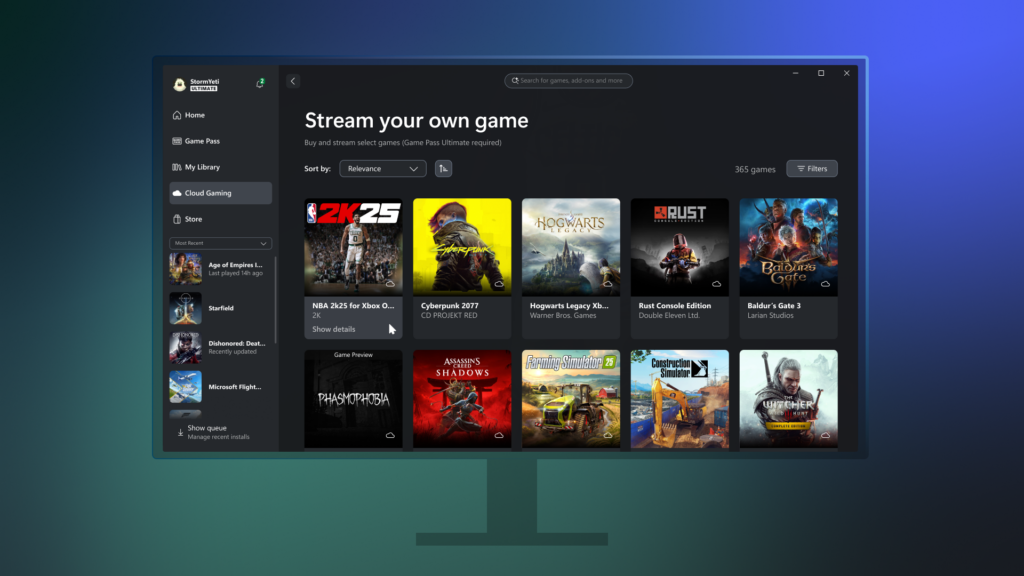
Xbox Game Pass is popular among Xbox and PC players who want variety and the freedom to explore more titles without buying each game individually. Many shoppers compare:
- Game Pass Ultimate (often chosen because it can bundle multiple benefits—availability depends on market and current offerings)
- Console or PC-focused plans (depending on what’s offered in your region)
Game Pass is ideal if:
- You love trying lots of games throughout the year
- You play on Xbox, PC, or both
- You prefer “discover and switch” instead of committing to a single purchase
[Internal Link: Game Pass vs Game Pass Ultimate—what to pick]
[Internal Link: Best PC games to try with Game Pass]
The “trusted purchase” checklist (don’t skip this)
Before you buy any digital subscription, confirm:
- Platform clarity: PlayStation vs Xbox vs PC
- Duration: 1 month / 3 months / 12 months (as available)
- Region compatibility: matches your account/store region
- Delivery type: code vs activation method (and how it’s delivered)
- Support path: what to do if activation fails or details don’t match
Most “digital issues” happen because one of these items wasn’t checked.
Step-by-step: from choosing to activating (simple and safe)
1) Pick the service based on your platform
- PlayStation → PS Plus
- Xbox / PC → Game Pass (and possibly Ultimate)
2) Choose a duration that matches your play style
- 1 month: best for testing or casual play
- 3 months: a balanced middle ground
- 12 months: strong value for consistent players (if available)
3) Buy from the official product pages in the store
- Browse subscriptions: Nu8th Game Subscriptions
- Game Pass page: Nu8th Game Pass Subscription
4) Follow activation instructions carefully
- Don’t mix account regions
- Save your order confirmation
- If you see an error, pause—re-check compatibility, then contact support if needed
Quick benefits comparison
PS Plus highlights
- Strong for PlayStation-first players
- Helps unlock a better online experience
- Ongoing perks and plan-based content (varies)
Game Pass highlights
- Excellent for variety and discovery
- Great for Xbox and PC ecosystems
- Often feels like high value per hour played (catalog changes over time)
Common mistakes that cause most problems
- Buying a plan that doesn’t match your account region
- Not understanding whether you’re receiving a code or an activation method
- Sharing account details with untrusted sources
- Ignoring delivery timing and support policy
- Purchasing without reading platform compatibility (Console vs PC)
FAQs
1) Is PS Plus better than Game Pass?
It depends. PS Plus is typically best for PlayStation-focused players, while Game Pass suits Xbox/PC gamers who want variety. Plan details differ by tier and region.
2) Do I always need Game Pass Ultimate?
Not always. If you only play on one platform, another plan may be enough. Ultimate makes sense when its bundled benefits match your usage.
3) How do I confirm the subscription will work with my account?
Check platform + region + duration in the product details, then match them to your account/store region.
4) Should I start with 1 month or 3 months?
Start with 1 month if you’re unsure. Choose 3 months if you already know you’ll use it regularly.
5) What if activation fails?
Stop retrying repeatedly. Re-check region/platform details and contact the store’s support with your order number and any error screenshot.
6) Are subscriptions worth it for casual players?
Yes—just pick a shorter duration first so you can evaluate how often you actually use it.
Conclusion: choose the plan that fits your playtime
A trusted digital subscription purchase is about clarity: the right platform, correct region, and a store that provides straightforward delivery and support. Once you’ve checked those, choosing between PS Plus and Game Pass / Game Pass Ultimate becomes easy.
Explore your options here: