

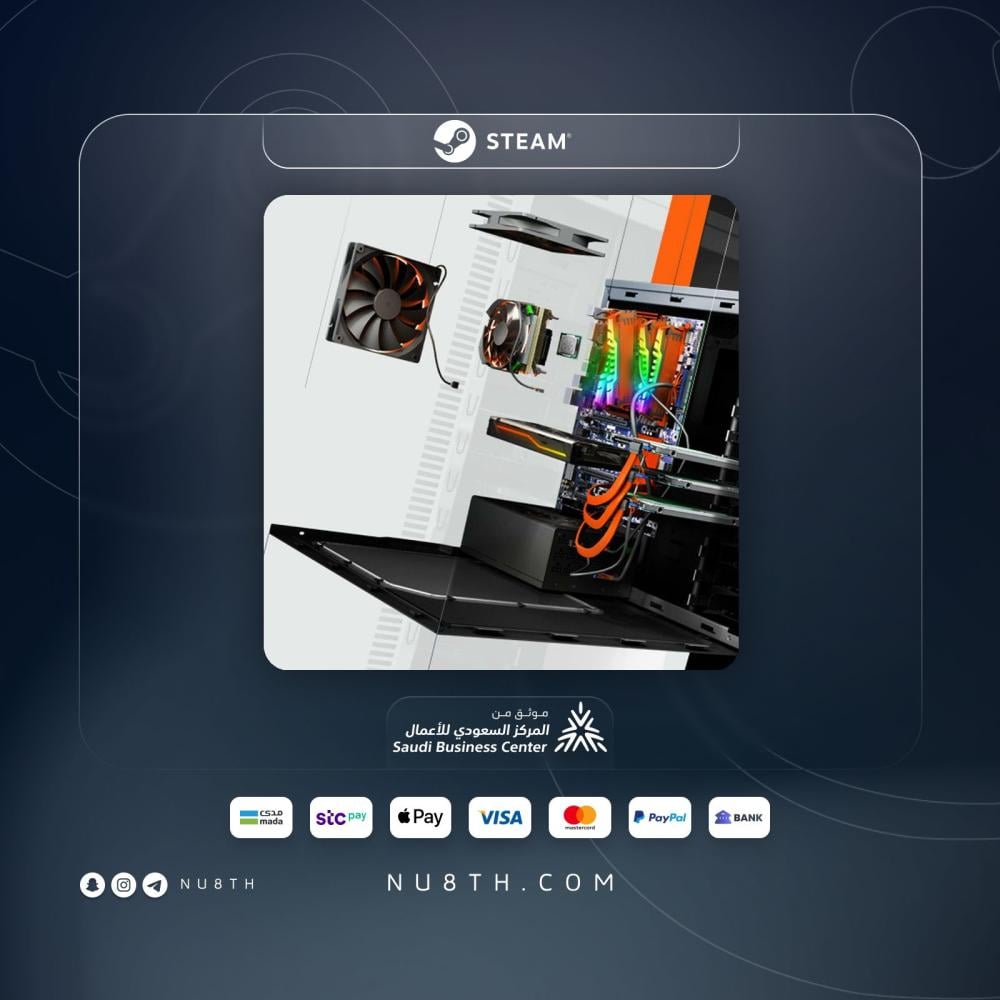

If you enjoy PC hardware, tidy upgrade paths, and workshop style gameplay, PC Building Simulator is a very satisfying PC experience 💻. It puts you in charge of a repair and build business where you diagnose problems, swap parts, and assemble rigs with a detailed hands-on feel.

Quick note: This is the Standard edition on Steam and PC in a shared account format, with offline play only for this offer and a listed 1 month warranty.
In one line: A detailed simulation game where you build, repair, and upgrade PCs while learning how core hardware parts fit together.
This page is for PC Building Simulator for PC in a shared account format, with digital delivery by email and clear activation guidance.
A neat fit for Saudi buyers looking for a clear digital PC setup and a calm play style.
Specs • Delivery • Activation • FAQ
Quick specs
- Platform: PC
- Account type: shared account
- Delivery method: by email with activation guidance
- Compatibility: Steam / PC
- Requirements: PC device, Steam app, and internet for initial download and activation
- Language: may vary by version
- Warranty/support: 1 month warranty with activation help
- Price: 7.67
PC Building Simulator PC
Overview and why it stands out
Released in 2018, this computer building simulator takes the idea of PC tinkering and turns it into a structured business and progression loop 🔧. You take jobs, inspect faults, replace components, complete upgrades, and keep your workshop moving forward instead of just clicking through random tasks.
The game includes detailed parts ranging from motherboards and CPUs to cables and thermal paste, and it shows where each piece fits during the build process. That makes it enjoyable for simulation fans and genuinely useful for players who want a better feel for PC hardware without buying real parts.
Who it suits
- Players who enjoy technical or management sims 🎯
- Anyone curious about PC hardware and how parts connect
- People who prefer a calmer offline style over competitive play
- Shoppers looking for a game with steady progression and meaningful tasks
Good use cases
- Learning the role and placement of major PC components
- Handling repair and upgrade jobs for customer PCs
- Building machines to specific targets in career mode
- Taking on extra challenges such as performance tuning and varied builds
Key features and benefits
- Career mode that gives the game a clear workshop business loop
- Detailed component presentation that feels close to real PC assembly
- Step by step guidance that makes the build process easier to follow
- Mission variety across repairs, upgrades, and full builds
- Extra challenge value through specification based jobs and tuning tasks
- A strong pick for PC enthusiasts who want practical feeling simulation ✨
How you will receive it
The shared account details are sent by email with activation guidance 📩. The usual delivery timing for this format is instant delivery, then you can start downloading on your device by following the sent instructions.
Activation steps
- Complete your order.
- Receive the shared account details by email.
- Follow the sent activation steps on Steam on your PC.
- Download the game and start playing according to the shared account instructions.
- Keep to offline usage if that is required in the sent account guidance.
Requirements and constraints
- A PC capable of running the game.
- The Steam app and internet access for the initial download and activation.
- This page is for a shared account format, so usage is different from a standard direct purchase.
- This offer is intended for offline play only based on the listed notes.
- Language and region availability may vary by version and platform settings.
Support and reassurance
Support available if you face issues ✅
This format includes a listed 1 month warranty plus help with activation and usage guidance if needed.
Compatibility details
This product is for PC through Steam. If you want a console or mobile version, this listing is not the right fit. If you want a technical simulation experience on PC, it is a neat match.
Common mistakes to avoid
- Changing the shared account email or password.
- Using the game in a way that conflicts with the sent instructions.
- Ignoring the offline only nature of this format and expecting online use.
- Deleting the account details before download and activation are fully completed.
Quick gallery

FAQ
How do I receive PC Building Simulator on PC?
After checkout, the shared account details are sent by email with the activation steps you need.
When is the shared account delivered?
The usual timing for this format is instant delivery, although timing can vary slightly depending on order handling.
Is this listing only for a shared account?
Yes. The current listing is set up only for a shared account format, and other formats are not presented on this page.
Is this PC Building Simulator format offline only?
Based on the listed notes for this offer, usage is offline only, so make sure that format matches how you want to play before ordering.
Do I need Steam on my PC?
Yes. The game runs through Steam on PC, so you will need the app installed and you should follow the sent activation guidance.
Can I change the account details?
It is not recommended. One of the main mistakes is changing the shared account details, so it is best to keep everything exactly as instructed.
Do language or region stay fixed?
There is no single confirmed language or region note for every case here, so it is safer to treat both as version dependent.
What if I face an activation issue?
Contact support and we can help with activation guidance and follow up within the scope of the listed service.
Are digital items refundable after the account data is sent?
Digital items follow the store policy in effect, and once account details have been sent or usage has started, refund eligibility can vary by case.
Is the game good for beginners who want to learn PC parts?
Yes, that is one of its best angles. It gives clearer visibility into where parts go and what they do, while still remaining a game rather than full real world technical training.